Questions this answers
- How much does Vidu AI API cost through an API?
- When should developers use Vidu AI API instead of a direct provider account?
- How does TokenLab help compare Vidu AI API with related models?
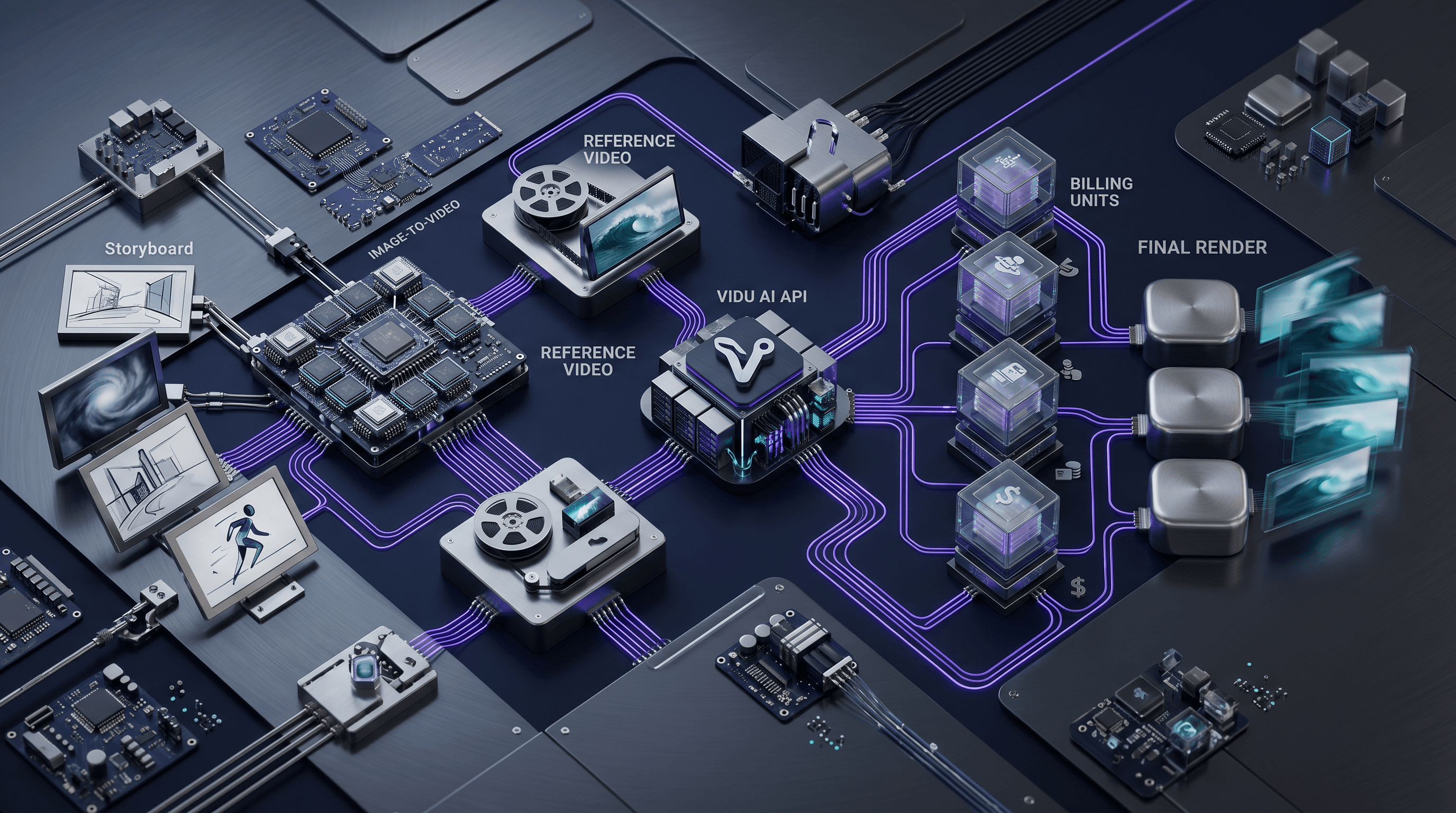
The Vidu AI API turns a still image into a motion clip with a single request, and a reference video mode transfers motion from an existing clip to a static image. This tutorial walks through accessing both capabilities via the TokenLab unified API, including payload structure, parameter tuning, and a practical implementation checklist.
Key Takeaways
- Vidu’s image‑to‑video endpoint generates realistic motion from a still frame; reference video mode copies precise motion patterns from one video to the content of a target image.
- TokenLab exposes Vidu and other video models:such as Seedance, Veo 3, Kling, Hailuo, and PixVerse V6:through a single consistent API, so you can compare quality, speed, and cost without altering your integration code.
- Parameters like
motion_intensity,num_frames, andreference_videodirectly control output style, duration, and fidelity; tuning them affects generation latency and result quality. - Pricing and model availability change frequently; always check the latest details on the TokenLab model directory and the pricing comparison page (both observed 2026‑07‑07).
Understanding Vidu’s Image‑to‑Video and Reference Video Modes
Vidu’s image‑to‑video pipeline treats a static input image as the first frame and fills the remaining frames using a motion prior learned from video data. The model predicts optical flow and appearance changes consistent with scene semantics, outputting a short video clip:usually 2 to 10 seconds depending on num_frames and the chosen resolution.
The reference video mode, sometimes called motion transfer or video‑guided generation, accepts an additional reference_video parameter. The model extracts motion vectors from the reference clip and applies them to the content of the still image. For instance, a dancer’s movements from one video can be transferred to a portrait photo, or the camera pan of a product showcase can be mapped onto a different product image. Both modes share the same API endpoint on TokenLab; the only difference is the presence of a reference_video field in the request.
Unlike text‑to‑video models that hallucinate motion from a prompt, Vidu’s image‑conditioned approach gives you precise control over the starting frame and, with a reference video, the exact motion choreography. This makes it suitable for animating static concept art, adding secondary motion to product photos, or creating character animation tests from a single reference. Because the model works with a real first frame, the generated clip stays anchored to the visual identity of the input, avoiding the shape‑drift issues common in prompt‑only pipelines.
Setting Up Your TokenLab Account and API Key
To use Vidu through TokenLab you need an active account and an API key.
- Sign up at tokenlab.sh.
- Navigate to your dashboard and generate an API key under API Keys.
- Store the key securely:it will be sent as a bearer token in every request.
TokenLab’s unified API lets you switch between video models just by changing the model field in the payload. Vidu is identified by the name vidu. Your existing integration code for models like Seedance or Veo 3 will work with Vidu without structural changes.
Making Your First Vidu API Request with TokenLab
A basic image‑to‑video request sends a static image URL and a set of generation parameters. Here is an example using curl:
curl -X POST "https://api.tokenlab.sh/v1/video/generate" \
  -H "Authorization: Bearer $TOKENLAB_API_KEY" \
  -H "Content-Type: application/json" \
  -d '{
    "model": "vidu",
    "image_url": "https://example.com/portrait.jpg",
    "motion_intensity": 0.7,
    "num_frames": 120,
    "resolution": "1080p"
  }'
For the reference video mode, add a reference_video parameter pointing to a short motion clip:
{
  "model": "vidu",
  "image_url": "https://example.com/portrait.jpg",
  "reference_video": "https://example.com/dance_reference.mp4",
  "motion_intensity": 0.8,
  "num_frames": 120
}
The API returns a JSON object with a video_url that you can poll until the generation is complete. TokenLab also supports webhook callbacks to avoid polling, which is the preferred approach for production workloads.
Tuning Parameters for Quality and Speed
The Vidu endpoint accepts several parameters that affect motion realism, output duration, and processing time. The table below summarizes the most important ones.
| Parameter | Type | Description | Typical Range |
|---|---|---|---|
motion_intensity |
float | Controls the amplitude of motion. Lower values produce subtle movement; higher values create more dramatic action. | 0.0 – 1.0 |
num_frames |
int | Number of frames to generate. The output duration is num_frames / fps, where the default fps is 24. Higher values increase generation time. |
48 – 240 |
resolution |
string | Output resolution. Supported values are 720p and 1080p. Higher resolution costs more and takes longer. |
720p, 1080p |
reference_video |
string | URL of a reference video for motion transfer. When omitted, the model generates motion autonomously. | URL |
style_strength |
float | How strongly the model adheres to the visual style of the input image versus the reference motion. A value of 1.0 keeps the image style; lower values allow the reference video’s style to bleed in slightly. | 0.0 – 1.0 |
Testing these parameters on a short clip (48–60 frames) before scaling to full duration can save both time and cost. The TokenLab pricing page shows real‑time per‑generation costs, which vary by resolution and frame count. The model directory also lists the official providers where Vidu is hosted, such as Replicate and fal, whose pricing is observed independently:check Replicate pricing and fal pricing for their latest rates (observed 2026‑07‑07).
Practical Implementation Checklist
Before going live, use this checklist to confirm your integration is production‑ready.
- API key scoped correctly – The key has no broader permissions than needed for video generation.
- Input image validated – The image URL is publicly accessible and at least 512×512 pixels; the model works best with clear, well‑lit faces or objects.
- Reference video prepared – When using motion transfer, the reference clip is short (2–5 seconds), well‑cropped, and contains a single continuous motion without scene cuts.
- Parameter tuning completed –
motion_intensityandnum_frameshave been tested on a sample; the chosen balance meets your latency budget and visual quality threshold. - Polling or webhook configured – The client either polls the
video_urlstatus or listens for the completion webhook to avoid blocking the main thread. - Error handling in place – The code retries gracefully on 5xx errors and logs any 4xx responses for debugging.
- Cost monitoring enabled – A spending limit is set in your TokenLab dashboard, and you reference the pricing comparison page regularly as costs evolve.
- Model fallback considered – If Vidu is temporarily unavailable, switching to Seedance or Veo 3 requires only a
modelfield change in TokenLab.
Following these steps helps keep your pipeline reliable even as video model supply changes.
Comparing Vidu with Other Video Models
TokenLab’s unified API lets you test Vidu against several other video generators without rewriting integration code. The primary alternatives at the time of writing (2026‑07‑07) are Seedance, Veo 3, Kling, Hailuo, and PixVerse V6:all available under the same endpoint. Each has distinct strengths:
- Seedance – Excels at high‑frame‑rate, fluid character animation; often preferred for dance and action scenes.
- Veo 3 – Produces cinematic camera movements and scene composition; strong for product videos and short films.
- Kling – Optimised for realistic human motion and lip‑sync; useful for talking‑head avatars.
- Hailuo – Focuses on stylised, animated effects; works well for motion graphics.
- PixVerse V6 – Balances speed and quality for bulk social‑media clips.
A detailed breakdown of these models, including side‑by‑side output samples and use‑case recommendations, is available on the best AI video models API 2026 article. For developers who need to route across providers based on cost, the OpenRouter comparison guide explains how TokenLab abstracts multi‑provider access and helps you minimise spend.
FAQ
Does Vidu support text prompts alongside an image? Vidu is primarily an image‑conditioned model; the image acts as the first frame and the motion prior determines movement. While some providers may allow an optional text hint to nudge the style, the API through TokenLab currently does not accept a
promptfield. The best way to influence the output is by adjustingmotion_intensity,num_frames, and:crucially:using a suitable reference video.How long does a typical generation take? Generation latency depends on
num_frames, resolution, and provider load. A 2‑second clip at 720p (48 frames) usually completes in 15‑30 seconds on TokenLab. A 5‑second 1080p clip (120 frames) may take 60‑90 seconds. Webhook delivery is recommended for time‑sensitive applications.Can I use locally hosted images or videos? TokenLab requires publicly accessible URLs for
image_urlandreference_video. You can upload files to a cloud storage bucket (e.g., Amazon S3 with a presigned URL) or use a temporary hosting service. Vidu’s underlying providers (Replicate, fal) also require URLs for asset fetching.
Get Started with Vidu on TokenLab
The Vidu AI API is ready for your image‑to‑video and motion‑transfer projects. Sign up for a TokenLab account, grab your API key, and send your first test request today. Explore the TokenLab model directory to select Vidu and compare it against other video generators, or dive into the pricing comparison page to optimise your costs. With one API, you get access to the entire video model lineup:no integration switches needed.
Sources
Price observed 2026-07-07
- TokenLab model directoryObserved 2026-07-07
- TokenLab API docsObserved 2026-07-07