Questions this answers
- How much does AI image model benchmark cost through an API?
- When should developers use AI image model benchmark instead of a direct provider account?
- How does TokenLab help compare AI image model benchmark with related models?
An AI image model benchmark is only useful if you know what it measured, how, and against what baseline. To evaluate image generation APIs objectively, you must run a standardized test harness that measures latency, cost, and output quality under identical conditions. This guide provides a concrete, reproducible benchmarking methodology, complete with a Python test harness, automated evaluation strategies, and current market pricing data.
Key Takeaways
- Standardized baselines are mandatory: A defensible AI image model benchmark tests fixed prompts, fixed resolutions, and fixed seeds across providers to isolate variables that actually affect your product.
- Automate quality scoring: Relying solely on manual human rubrics is too slow and expensive for production pipelines. Combine automated metrics (CLIP, FID) with LLM-as-a-judge frameworks using models like Claude Sonnet 5 or GPT-5.5 to evaluate prompt adherence.
- Normalize pricing structures: Providers bill differently (per-image, per-megapixel, or per-second of compute). Normalize all costs to a standard unit (e.g., cost per 1 Megapixel image) before comparing raw numbers.
- Track version drift: Use a standing leaderboard, like the TokenLab model leaderboard, to track how rankings shift as providers ship new checkpoints, rather than relying on a single point-in-time test.
Current Image Model Pricing and Source Snapshot
To normalize your benchmark costs, you must track the exact pricing models of your target APIs. The following tables show current pricing data sourced directly from provider documentation and the TokenLab live model registry.
Provider Pricing Source Snapshot (As of July 2026)
| Provider / Source | Model Family | Pricing Structure | Base Rates (USD) |
|---|---|---|---|
| Black Forest Labs Docs | FLUX.2 | Megapixel-based credits (1 credit = $0.01) | Klein 4B: $0.014/image Klein 9B: $0.015/image Pro: $0.03/image (T2I) Max: $0.07/image Flex: $0.05/image |
| fal.ai Docs | FLUX.2 | Pay-per-megapixel | Dev: From $0.012/MP Pro: From $0.03/MP Flex: From $0.05/MP Max: From $0.07/MP |
| TokenLab Registry | Gemini Image Series | Per-token / Per-image | Nano Banana 2 (Gemini 3.1 Flash Image): $0.50/MTok input, $3.00/MTok output Nano Banana Pro (Gemini 3 Pro Image): $2.00/MTok input, $12.00/MTok output |
Concrete Model Comparison Table
This table compares current image generation models and the LLMs used to evaluate them within automated benchmarking pipelines.
| Model Name (SSOT) | Primary Modality | TokenLab Cost Metric | Lock / Input Price | Output Price |
|---|---|---|---|---|
| flux-2-klein-4b | Image Generation | per_image | $0.014000 (lock) | N/A |
| flux-2-klein-9b | Image Generation | per_image | $0.015000 (lock) | N/A |
| flux-2-flex | Image Generation | per_image | $0.050000 (lock) | N/A |
| flux-2-max | Image Generation | per_image | $0.070000 (lock) | N/A |
| flux-1-dev | Image Generation | per_image | $0.025000 (lock) | N/A |
| gemini-3.1-flash-image | Image Generation | per_token | $0.500000 / MTok | $3.000000 / MTok |
| gemini-3-pro-image | Image Generation | per_token | $2.000000 / MTok | $12.000000 / MTok |
| claude-sonnet-5 | LLM Judge / Text | per_token | $3.000000 / MTok | $15.000000 / MTok |
| gpt-5.5 | LLM Judge / Text | per_token | $5.000000 / MTok | $30.000000 / MTok |
Why Vendor-Published Benchmarks Are Not Enough
Most image model providers publish comparisons that favor their own models. According to community-run tests and provider analyses published on the Replicate blog (observed July 2026), image model performance and output quality vary significantly depending on prompt style, aspect ratio, and the specific sampling steps used during generation.
If you are choosing an API for a production feature, you need a methodology that controls these variables. A single cherry-picked prompt where Model A looks better than Model B tells you nothing about Model A's failure rate across the hundreds of prompts your users will actually submit.
Automated AI Image Evaluation vs. Manual Scoring
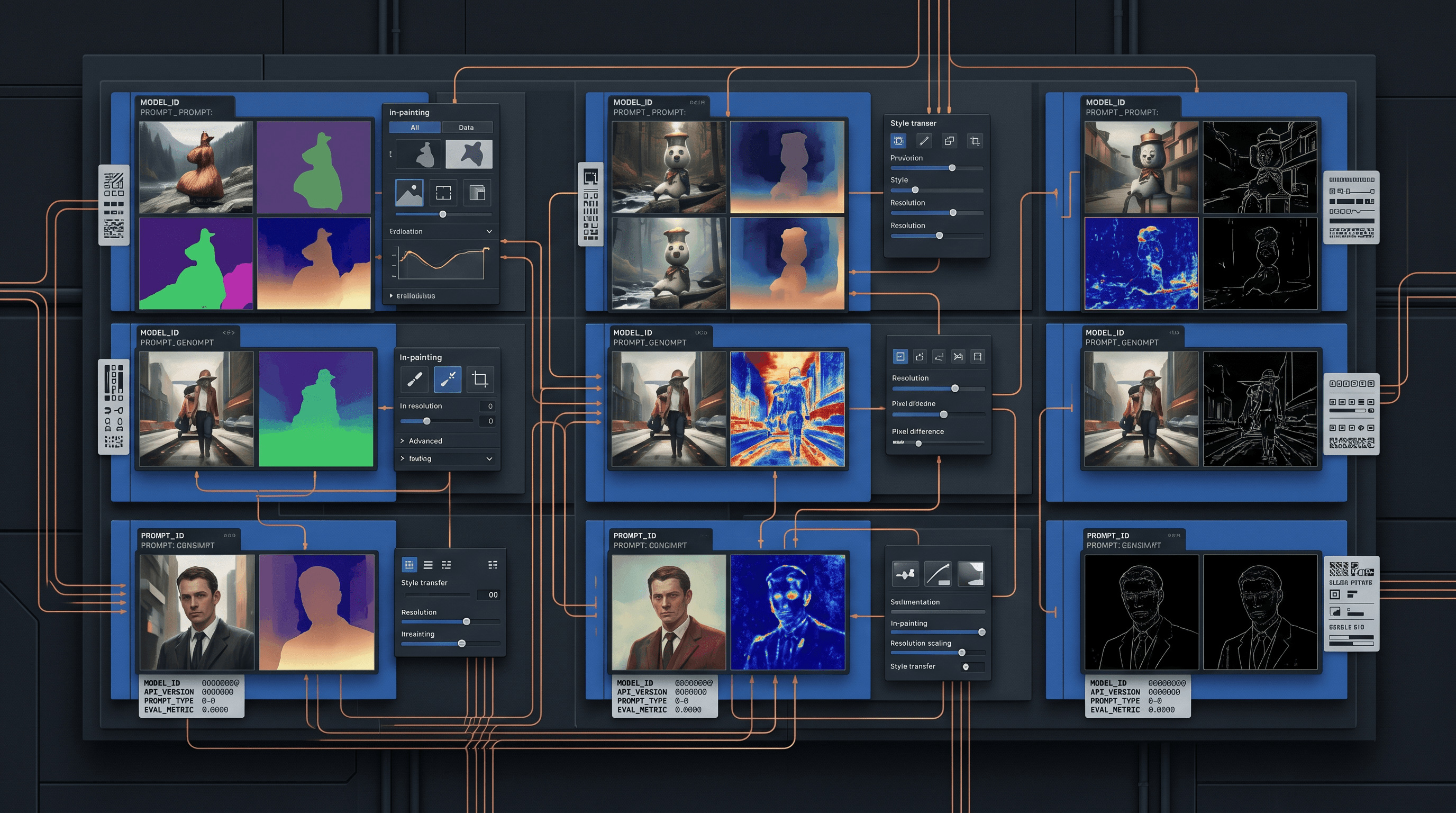
While manual human rubrics are useful for final sanity checks, they are too slow, expensive, and subjective to scale. Production-grade benchmarking requires automated evaluation metrics to score image quality and prompt adherence.
1. Automated Image Quality Metrics
- Fréchet Inception Distance (FID): Measures the similarity between the distribution of generated images and a dataset of real target images. Lower FID scores indicate higher-quality, more realistic images.
- Inception Score (IS): Evaluates generated images based on two criteria: the clarity of the objects in the image (low entropy in class distribution) and the diversity of the generated images across classes.
- CLIP Score: Uses OpenAI's Contrastive Language-Image Pre-training (CLIP) model to measure the semantic similarity between the input prompt and the generated image. This provides an automated, objective metric for prompt adherence.
2. LLM-as-a-Judge Framework
To automate subjective evaluation, you can use a multimodal LLM (such as Claude Sonnet 5 or GPT-5.5) as an evaluator. The judge model is fed the original prompt and the generated image, then rates the image on a 1-5 scale based on a strict rubric.
[Input Prompt] ---> [Image Generation API] ---> [Generated Image]
                                                      |
                                                      v
[Evaluation Rubric] -------------------------> [Multimodal LLM Judge]
                                                      |
                                                      v
                                             [Score: 1-5 + Reasoning]
Concrete Implementation: Python Benchmark Harness
Below is a functional Python script to benchmark image generation latency and save outputs for evaluation. This script targets the FLUX.2 API hosted on fal.ai as an example.
import os
import time
import json
import requests

# Configuration
FAL_API_KEY = os.environ.get("FAL_API_KEY")
API_URL = "https://queue.fal.run/fal-ai/flux/dev" # Example endpoint
HEADERS = {
    "Authorization": f"Key {FAL_API_KEY}",
    "Content-Type": "application/json"
}

# Standardized prompt set
BENCHMARK_PROMPTS = [
    {
        "id": "photo_01",
        "prompt": "A professional headshot of an engineer in a brightly lit office, photorealistic, 8k resolution",
        "sync_aspect_ratio": "1:1"
    },
    {
        "id": "text_01",
        "prompt": "A neon sign on a brick wall that clearly reads the word 'TokenLab' in bright blue light",
        "sync_aspect_ratio": "16:9"
    }
]

def run_benchmark_image(prompt_data):
    payload = {
        "prompt": prompt_data["prompt"],
        "image_size": "1024x1024" if prompt_data["sync_aspect_ratio"] == "1:1" else "1344x768",
        "seed": 42, # Fixed seed to isolate model variance
        "num_inference_steps": 28
    }

    start_time = time.time()
    try:
        response = requests.post(API_URL, json=payload, headers=HEADERS, timeout=30)
        latency = time.time() - start_time

        if response.status_code == 200:
            result = response.json()
            image_url = result.get("images", [{}])[0].get("url", "")
            return {
                "id": prompt_data["id"],
                "status": "success",
                "latency_seconds": round(latency, 3),
                "image_url": image_url,
                "error": None
            }
        else:
            return {
                "id": prompt_data["id"],
                "status": "failed",
                "latency_seconds": round(latency, 3),
                "image_url": None,
                "error": f"HTTP {response.status_code}: {response.text}"
            }
    except Exception as e:
        return {
            "id": prompt_data["id"],
            "status": "error",
            "latency_seconds": round(time.time() - start_time, 3),
            "image_url": None,
            "error": str(e)
        }

if __name__ == "__main__":
    results = []
    for item in BENCHMARK_PROMPTS:
        print(f"Running benchmark for: {item['id']}...")
        res = run_benchmark_image(item)
        results.append(res)

    print(json.dumps(results, indent=2))
Setting Up a Fair Head-to-Head Test
A fair comparison requires controlling for infrastructure variables that have nothing to do with model quality but heavily affect measured latency.
Benchmarking Checklist
- Geographic Consistency: Run all API requests from the same cloud region (e.g.,
us-east-1) to minimize network transit variance. - Time-of-Day Testing: Run tests during both off-peak and peak hours to catch provider throttling and capacity issues.
- Log Exact Checkpoints: Query each provider's current model list before testing. Default model versions change without notice, similar to how routing behavior varies across LLM aggregators as covered in our OpenRouter comparison.
- Pin Parameters: Fix the seed, step count, and guidance scale across all models that support those parameters.
- Record HTTP Status Codes: Log raw error responses to identify silent failures or aggressive content filtering.
Where Image Benchmarks Fit Into a Broader API Strategy
If you are building a product that spans multiple AI modalities, image model selection rarely happens in isolation. Teams evaluating image APIs are frequently also comparing video generation APIs and code generation models for the same product roadmap, and the same benchmarking discipline (fixed test sets, normalized cost, tracked versions) applies across all three.
For deeper category-specific comparisons, see our guides on the best AI video models for API in 2026, the best AI image models for API in 2026, and the best AI models for coding in 2026.
If you want a starting point rather than building your test harness from scratch, cross-reference your results with the TokenLab model leaderboard, which aggregates comparative data across providers and updates as new checkpoints ship.
Source Snapshot and Caveats
The source mix for an image benchmark should include provider pricing or product documentation, one or more live model surfaces, and your own prompt corpus. Black Forest Labs, fal, Replicate, Google, and other providers can document price units, model modes, and supported inputs, but their docs do not tell you which output your customers will prefer. A benchmark harness fills that gap by keeping the prompt set fixed and recording each output, failure, latency, and cost assumption.
Keep subjective quality separate from operational fit. A beautiful image that fails safety review, cannot reproduce a brand color, or costs three times as much after retries may be the wrong production choice. Conversely, a cheaper model may be the right batch generator even if it loses on a small artistic sample. The most useful report shows the prompt, model version, dimensions, cost unit, failure reason, and reviewer note side by side, so the recommendation can be challenged later.
FAQ
How many prompts do I need for a statistically meaningful AI image model benchmark?
While there is no universal minimum, testing fewer than 50 prompts across your target categories tends to produce noisy, non-generalizable rankings. For production-grade evaluations, we recommend a dataset of 100 to 300 prompts split across your core use cases, run 3 to 5 times each to average out sampling variance.
Should I benchmark cost per API call or cost per output pixel?
Cost per megapixel (MP) is the most reliable metric for comparison. Base API call pricing often bundles different default resolutions, making direct comparisons misleading. Normalize all costs to a standard unit (e.g., cost per 1 MP image) and verify current rates on our pricing comparison page.
How do I handle version drift in my benchmark?
Providers frequently update their default model aliases to point to new checkpoints without changing the API endpoint name. To detect these silent changes, configure your benchmark harness to log the exact model version or checkpoint string returned in the API response headers.
Next Step
Manual benchmarking catches real differences but takes ongoing engineering time to maintain. Get Started with the TokenLab live leaderboard to track model versions, pricing, and comparative performance data across providers automatically.
Sources
Price observed 2026-07-07
- Black Forest Labs pricing docsObserved 2026-07-07
- fal FLUX.2 model pageObserved 2026-07-07
- TokenLab model directoryObserved 2026-07-07
- Replicate blogObserved 2026-07-07