Questions this answers
- Will cutting AI API costs by 30% hurt output quality?
- Do I need to switch providers to cut costs?
- How do I know if prompt caching is actually working?
Most teams overpay for AI API calls. Not because they picked the wrong model, but because they're ignoring three optimizations that require minimal code changes: prompt caching, smart model routing, and batch processing.
Here's a breakdown of each technique with real numbers, plus the order that actually saves money instead of just moving spend around.
If you are still deciding whether your current provider mix is the problem, read the pricing comparison first. If your biggest pain is retry storms or provider throttling rather than raw spend, pair this page with the rate limiting guide.
Key Takeaways
- Prompt caching is the biggest single win, cutting input costs 40-75% when your system prompt prefix stays stable across requests.
- Smart model routing sends cheap tasks to cheap models, often saving 30-50% overall without quality loss.
- Batch APIs offer roughly 50% discounts for non-urgent, asynchronous workloads like nightly jobs and bulk labeling.
- Prices and model lineups change often. Check current numbers against OpenAI's pricing page (observed 2026-07-07) and TokenLab's model directory (observed 2026-07-07) before locking in a routing table.
- Add cost visibility before optimizing: log route, model, tokens, cache hits, and retries so you optimize from data, not intuition.
1. Prompt Caching: The Biggest Win
If your application sends the same system prompt with every request, you're paying full price for tokens the provider has already processed.
How It Works
OpenAI caches prompts automatically for inputs over 1,024 tokens, and cached tokens are billed at a discount relative to standard input, per OpenAI's pricing page (observed 2026-07-07). You don't need to change anything in your code to get this benefit.
Anthropic uses explicit caching via cache_control breakpoints. Cache writes cost more than standard input, but cache reads cost far less. Cache TTL is 5 minutes, extended on each hit.
Because caching pricing changes between model generations, treat any specific discount percentage as a snapshot, not a permanent rule. Check the provider's current pricing page before you build savings projections into a budget document.
The Math
Take a typical customer support bot:
- System prompt: 2,000 tokens
- User message: 200 tokens average
- 5,000 requests/day using a mid-tier reasoning model
Without caching:
Daily input cost = 5,000 × 2,200 tokens × $3.00/1M = $33.00
With prompt caching (assuming 95% cache hit rate):
Cache writes: 250 × 2,200 × $3.75/1M = $2.06
Cache reads:  4,750 × 2,200 × $0.30/1M = $3.14
User tokens:  5,000 × 200 × $3.00/1M = $3.00
Daily total = $8.20 (roughly 75% savings on input costs)
These figures are illustrative. Pull your own numbers from your provider's current pricing page and from TokenLab's model directory (observed 2026-07-07), since rates for both OpenAI and Anthropic model families move on their own schedules.
Implementation
from anthropic import Anthropic

client = Anthropic(
    api_key="sk-tokenlab-xxx",
    base_url="https://api.tokenlab.sh"
)

response = client.messages.create(
    model="claude-sonnet-5",
    max_tokens=1024,
    system=[
        {
            "type": "text",
            "text": "You are a customer support agent for Acme Corp...",
            "cache_control": {"type": "ephemeral"}  # This enables caching
        }
    ],
    messages=[{"role": "user", "content": user_message}]
)

# Check cache performance in response headers
# cache_creation_input_tokens vs cache_read_input_tokens
For OpenAI models, caching is automatic. Just make sure your prompts exceed 1,024 tokens and keep the static prefix consistent across requests.
Where teams go wrong:
- putting timestamps or request IDs at the top of every prompt
- reordering system instructions on each call
- embedding variable user context before the stable prefix
If the prefix changes every time, the cache never helps. Treat prompt shape as a cost primitive, not just a prompt engineering detail.
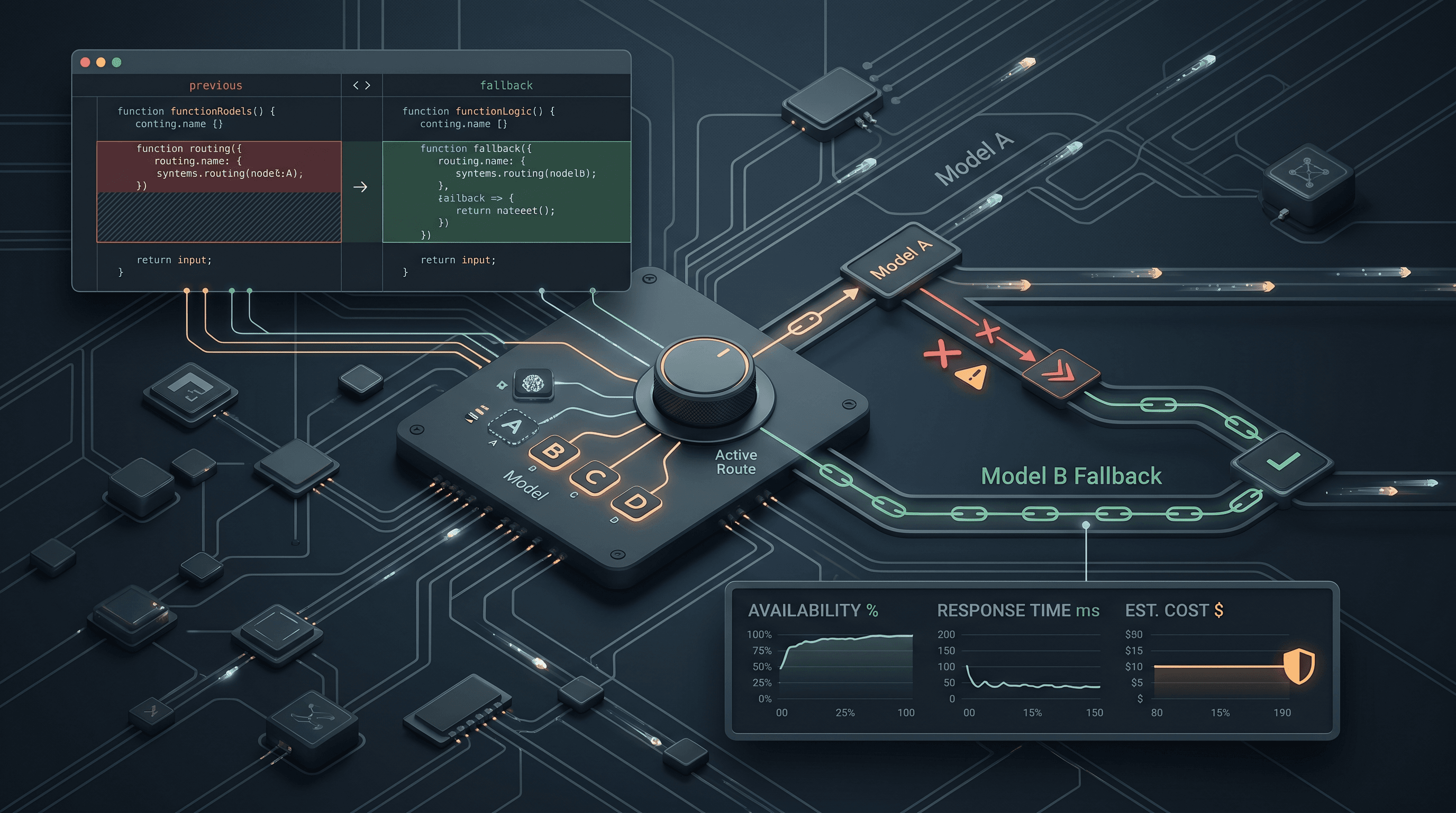
2. Smart Model Routing: Use the Right Model for Each Task
Not every request needs your most expensive model. A classification task that a flagship model like GPT-5.5 or Claude Opus 4.8 handles for a few dollars per million input tokens often works just as well on a smaller model in the same family, or on a low-cost model like DeepSeek V4 Flash or Gemini 3.5 Flash, at a fraction of the cost.
The Routing Strategy
| Task Type | Recommended Model Tier | Notes |
|---|---|---|
| Complex reasoning | Flagship reasoning model (e.g. GPT-5.5, Claude Opus 4.8) | Highest cost, reserve for hard cases |
| General chat | Mid-tier chat model (e.g. Claude Sonnet 5) | Good balance for most conversations |
| Classification, extraction | Low-cost model tier (e.g. DeepSeek V4 Flash, Gemini 3.5 Flash) | Often 5-10x cheaper than flagship |
| Embeddings | Small embedding model | Cheapest per-token cost by far |
| Simple formatting | Budget open-weight model (e.g. DeepSeek V4 Flash, GLM-5.2) | Useful for high-volume, low-stakes tasks |
Exact per-token prices shift frequently across providers, so don't hardcode a pricing table into your app logic. Instead, pull current rates from OpenAI's pricing page (observed 2026-07-07) or check the multi-provider list on TokenLab's model directory (observed 2026-07-07) before you finalize a routing config.
Implementation
from openai import OpenAI

client = OpenAI(
    api_key="sk-tokenlab-xxx",
    base_url="https://api.tokenlab.sh/v1"
)

def route_request(task_type: str, messages: list) -> str:
    """Pick the cheapest model that handles this task well."""
    model_map = {
        "classification": "deepseek-v4-flash",
        "extraction": "deepseek-v4-flash",
        "summarization": "deepseek-v4-flash",
        "complex_reasoning": "gpt-5.5",
        "creative_writing": "claude-sonnet-5",
        "code_generation": "claude-sonnet-5",
    }
    model = model_map.get(task_type, "deepseek-v4-flash")

    response = client.chat.completions.create(
        model=model,
        messages=messages
    )
    return response.choices[0].message.content
Verify these model identifiers against TokenLab's model directory (observed 2026-07-07) before deploying, since exact model IDs and low-cost tiers change as providers ship new versions.
Real Savings
A coding assistant that routes 60% of requests (linting, formatting, simple completions) to a low-cost model and 40% (architecture, debugging) to a mid-tier model like Claude Sonnet 5:
Before (all mid-tier model):
  1,000 req/day × 3K input × $3.00/1M = $9.00/day

After (60/40 split):
  600 req × 3K × $0.40/1M = $0.72/day (low-cost model)
  400 req × 3K × $3.00/1M = $3.60/day (mid-tier)
  Total = $4.32/day (52% savings)
The split ratio matters more than the specific model names. Even if the underlying price points move, a well-designed 60/40 or 70/30 routing split still captures most of the savings, as long as the low-cost tier actually clears your quality bar on the tasks you send it.
3. Batch Processing: The Overnight Discount
If a workload doesn't need a response in seconds, it probably shouldn't be paying real-time prices. OpenAI, Anthropic, and several open-weight providers offer batch endpoints that process requests asynchronously, typically within 24 hours, at roughly half the per-token cost of synchronous calls.
Good candidates for batch:
- nightly summarization or tagging jobs
- bulk data labeling and enrichment
- backfilling embeddings for a new corpus
- generating training or eval data for internal use
Bad candidates for batch: anything a user is waiting on in a live session. Batch is a latency trade, not a quality trade, so don't apply it to request paths where users expect an immediate reply.
4. Token Reduction: Trim Before You Route
Before you route anything anywhere, check whether you're sending more tokens than the task needs. Common waste sources:
- verbose system prompts that repeat instructions the model already follows reliably
- full conversation history sent on every turn instead of a rolling summary
- oversized few-shot examples that could be trimmed or replaced with a shorter reference
- raw tool output (logs, JSON blobs, HTML) pasted in unfiltered instead of pre-parsed
Token reduction is low effort and stacks with caching and routing rather than competing with them. Do this pass first since it reduces the base you're optimizing everything else against.
5. Order of Operations
The techniques compound, but the order you apply them in changes how much you save and how much risk you take on:
- Trim tokens and stabilize the prompt prefix first, so caching can actually hit.
- Route classification, extraction, and short summaries to a cheaper model tier such as DeepSeek V4 Flash or Gemini 3.5 Flash.
- Reserve the premium model for escalation, complicated reasoning, or final answer synthesis.
- Push overnight summaries and backfills to batch.
- Review logs weekly for routes whose prompt shape drifted and killed cache efficiency.
That kind of rollout does not require a rewrite. It requires one week of instrumentation and a willingness to treat prompts and routing as production surfaces.
6. What Not to Do
The fastest way to waste a cost-optimization effort is to optimize the wrong thing.
Avoid these traps:
- switching providers before you measure prompt waste
- routing cheap tasks to cheap models without validating output quality
- enabling caching on prompts whose prefixes change every request
- batching user-facing work that actually needs real-time responses
- looking only at token price and ignoring retry, latency, and fallback overhead
Cost work succeeds when the product still behaves well after the savings land. If the UX gets worse, the spreadsheet win is fake.
FAQ
Will cutting AI API costs by 30% hurt output quality? Not if you do it in the right order. Removing token waste and fixing caching have zero quality impact since the model still receives the same effective instructions. Model routing carries some risk if you route a task to a tier that can't actually handle it, so validate output quality on a sample before rolling routing changes out broadly. Batch processing has no quality impact, only a latency trade-off.
Do I need to switch providers to cut costs? Usually not first. Most teams find more savings in prompt shape, caching, and routing than in provider switching. If you've already applied all three techniques and are still overpaying, then it's worth comparing rates across providers using a resource like TokenLab's model directory (observed 2026-07-07), which lists current pricing across many models, including GPT-5.5, Claude Sonnet 5, and open-weight options like GLM-5.2 and DeepSeek V4 Flash, in one place.
How do I know if prompt caching is actually working? Check the response metadata on every call. OpenAI and Anthropic both return cache-related token counts (cache_creation_input_tokens, cache_read_input_tokens, or similar fields depending on the SDK). If cache reads stay near zero across thousands of requests, your prefix is probably changing between calls, often due to timestamps, request IDs, or reordered instructions sitting before the stable part of the prompt.
Putting It All Together
| Technique | Effort | Typical Savings |
|---|---|---|
| Prompt caching | Low (add cache_control) | 40-75% on input |
| Model routing | Medium (classify tasks) | 30-50% overall |
| Batch processing | Medium (async workflow) | 50% on batch jobs |
| Token reduction | Low (trim prompts) | 10-30% on input |
These techniques compound. A team that implements all four can realistically cut their monthly API bill from a few thousand dollars to well under half that, without any degradation in output quality. Exact savings depend on your traffic mix and current provider, so treat these ranges as a starting estimate rather than a guarantee. Verify current pricing for any model you route to on OpenAI's pricing page or TokenLab's model directory before finalizing budget projections.
The key insight: cost optimization in AI APIs isn't about finding cheaper providers first. It's about using the right model, at the right price tier, with the right caching strategy, for each specific task. Provider comparison is the last step, not the first.
If you are using multiple providers already, the operational side matters too. The migration guide and OpenRouter comparison help decide when it is time to centralize routing rather than keep patching separate integrations.
Get Started today: TokenLab gives you access to 300+ models through one API key, including GPT-5.5, Claude Sonnet 5, and open-weight options like DeepSeek V4 Flash and GLM-5.2, with prompt caching support across OpenAI and Anthropic model families and one place to compare usage and pricing across them.
Sources
Price observed 2026-07-07
- TokenLab model directoryObserved 2026-07-07
- OpenAI API pricingObserved 2026-07-07